Wallet
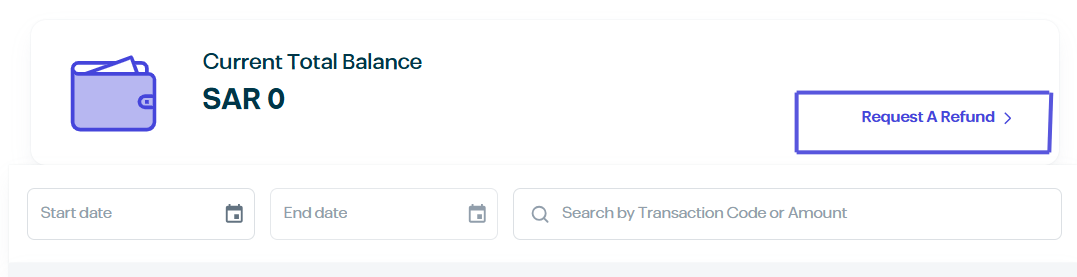
1. Current Total Balance
This section displays your available credit in SAR. You can use this balance to pay for future orders.
Request A Refund: If you wish to transfer your wallet balance back to your bank account, click on the "Request A Refund" link and follow the prompts.
2. Transaction History Tracking
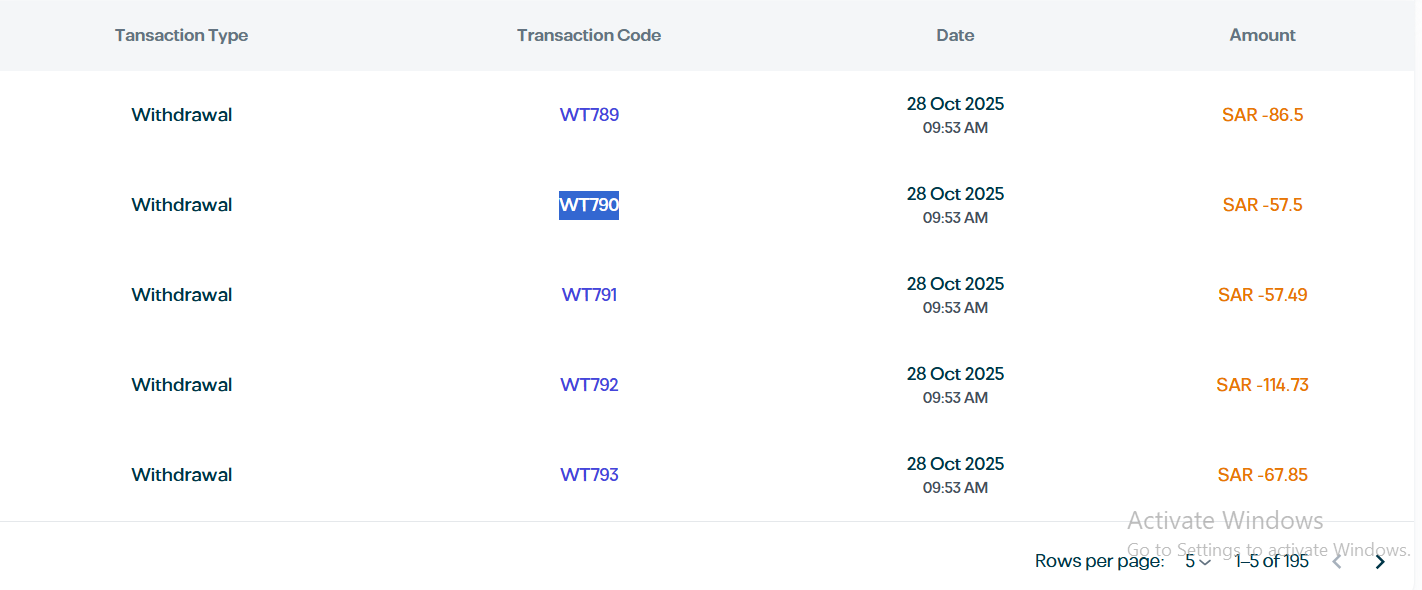
Monitor all movements within your wallet using the detailed transaction log:
Transaction Type: Indicates the nature of the movement (e.g., Refund or Payment).
Transaction Code: The unique reference ID for each transaction.
Date: The exact timestamp of the activity.
Amount: The specific value added or deducted.
3. Search & Filter Tools
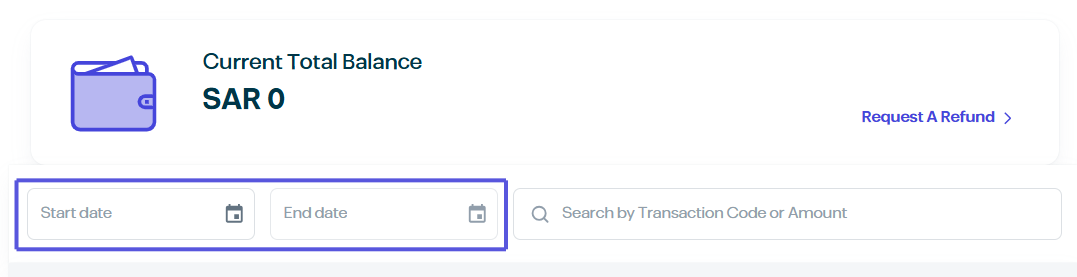
Search Bar: Quickly find a transaction by typing the Transaction Code or the Amount.
Date Filter: Set a Start Date and End Date to view activities within a specific timeframe.